Websites & Family Tree CD/DVDs Dialog
Website and CD/DVD Wizard
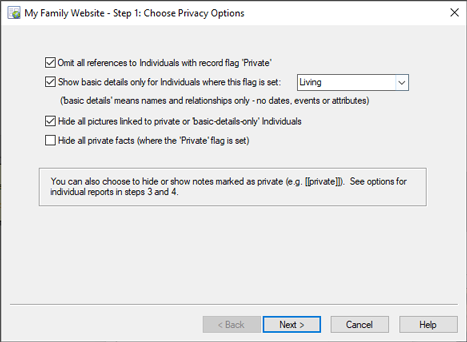
Websites and CD/DVD Wizard (Step 1)
The Website and CD/DVD Wizard is accessed from the Websites and Family Tree CD/DVDs Dialog.
The first step in creating a website or Family Tree CD/DVD is to generate the contents (the package) that you want for your website or Family Tree CD/DVD. At this point, you don't have to decide your eventual goal. In fact, if you want, you can later use the same package to generate either a website or a Family Tree CD/DVD or both. The Website and CD/DVD Wizard creates the package contents for you. These packages can only be created in the context of a Family Historian project. That is, you cannot use this wizard if you are using Family Historian to view or edit a standalone GEDCOM file. If you have a standalone GEDCOM file and you wish to use it as the basis for creating a website or Family Tree CD/DVD, you must first create a new project and import the GEDCOM file into that project. You can do this by clicking on the button in the Project Window.